
PhotoPerfect Express
Screenshots
App details
- Version
- 1.0
- Size
- 42.89 MB
- Updated
- January 18, 2011
- Requires
- Windows Vista
- Language
- English
- License
- Free
- Developer
- Arcadia Software
- Category
- Windows OS
SoftPas in:
This product is also available in the following languages:
About PhotoPerfect Express
Download PhotoPerfect Express – Fast Photo Filter Tool for Windows, Mac & Mobile
Quick Overview of PhotoPerfect Express
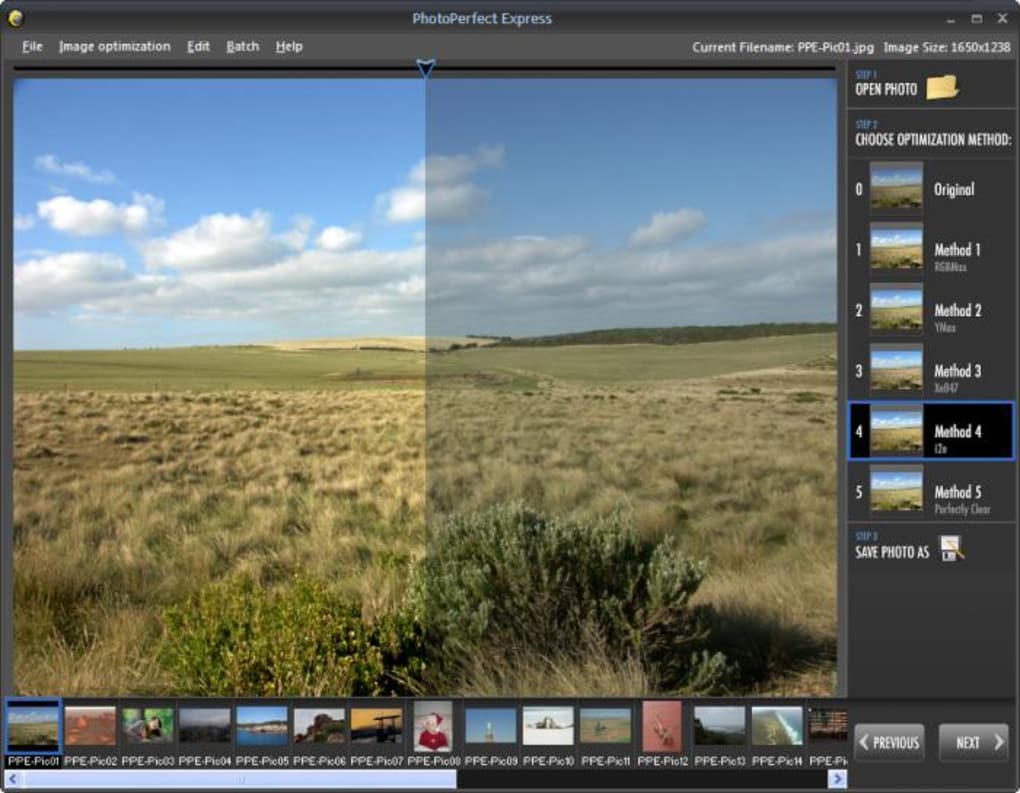
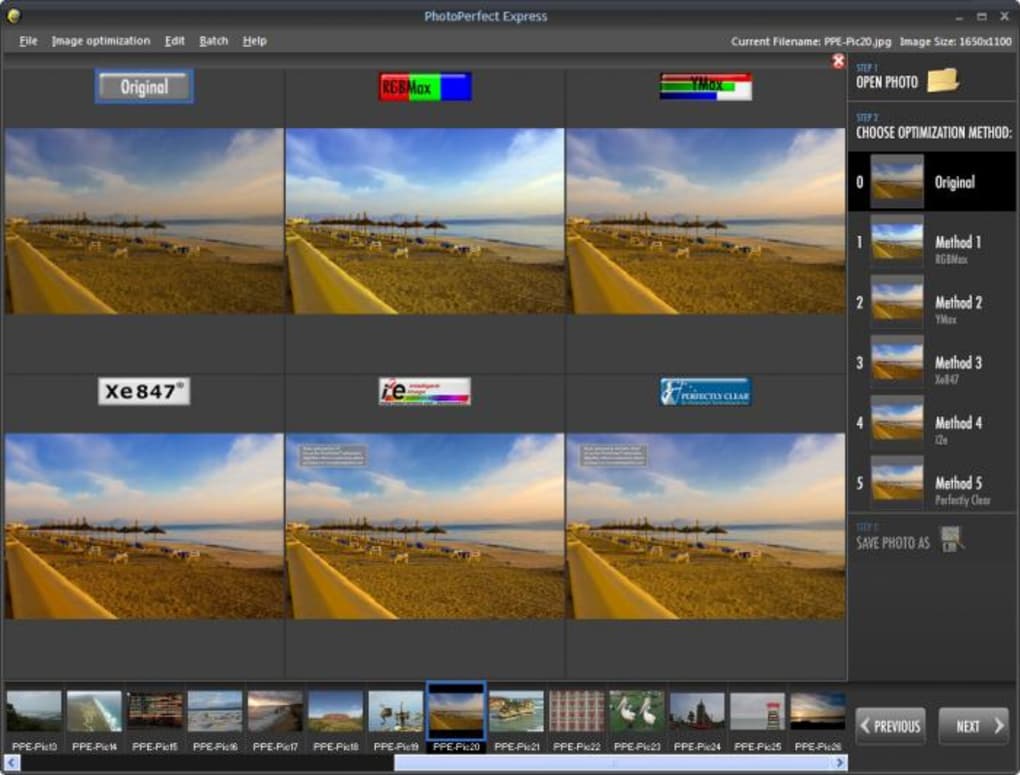
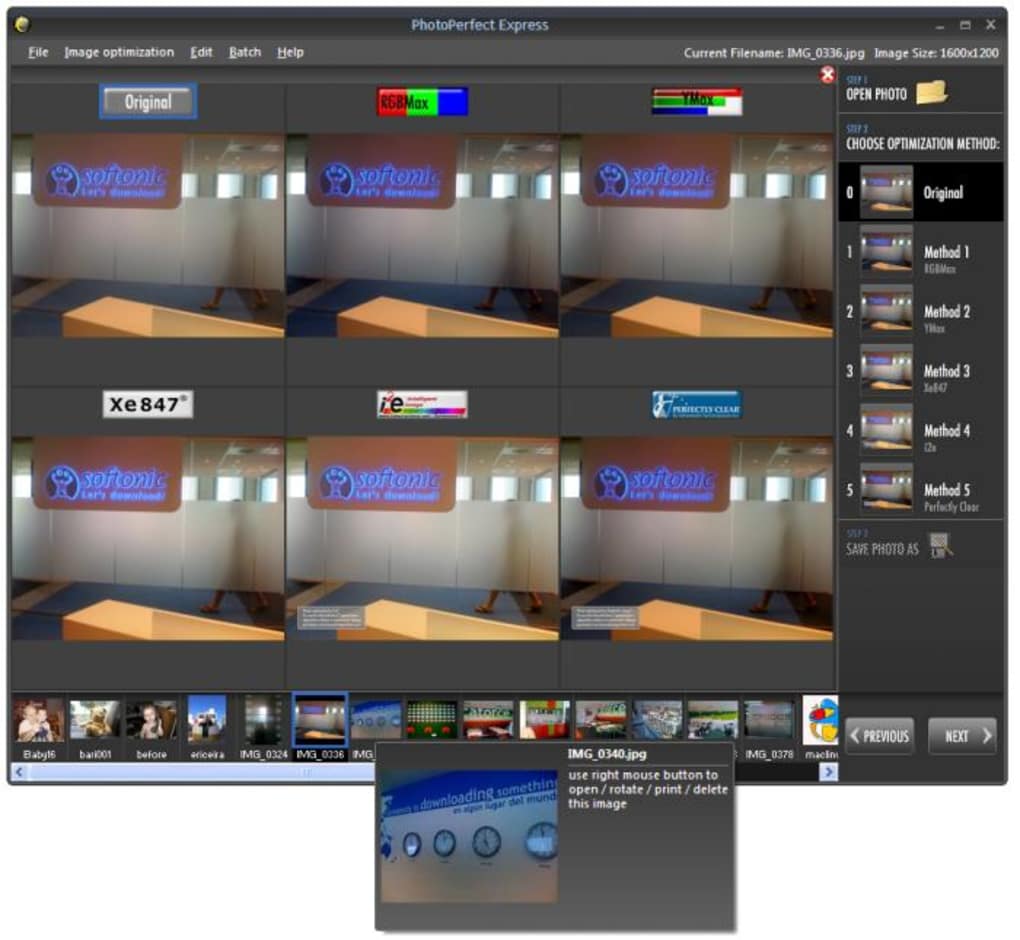
PhotoPerfect Express is a lightweight, single‑click photo‑enhancement app that focuses on what matters most for everyday image editing – brightness, contrast, and color balance. Unlike heavyweight suites that overwhelm users with dozens of panels, PhotoPerfect Express offers exactly five expertly tuned filters (RGBMax, YMax, Xw847, i2e, and Perfectly Clear) that instantly lift dull pictures into vibrant, eye‑catching results. The interface is purpose‑built for speed: a single mouse click or a quick press of the keys 1‑5 applies the chosen filter, while a draggable “curtain” preview lets you compare the original and the filtered version side‑by‑side. For photographers who need a quick polish before sharing on social media or sending to clients, this tool delivers a balance of simplicity and professional‑grade output without the steep learning curve of traditional editors.
Although the software is advertised as free, two of the filters add a subtle watermark and a few advanced options remain locked behind a premium upgrade. This “disabled freeware” model keeps the core experience functional for casual users while nudging power users toward the paid version. The app runs on Windows 10/11, macOS 10.13+, Android 6.0+, and iOS 12+, making it a truly cross‑platform solution for anyone who wants to enhance photos on the go.
Key Features that Set PhotoPerfect Express Apart
- Five pre‑set filters – RGBMax, YMax, Xw847, i2e, and Perfectly Clear – each optimized for different lighting conditions and color palettes.
- One‑click application – Apply a filter by clicking its button or pressing 1‑5 on the keyboard.
- Live split‑view curtain – Drag a vertical slider to instantly compare the original image with the filtered version.
- Multi‑filter preview – Stack all five filters at once to see a thumbnail strip and pick the best result faster.
- Cross‑platform support – Native installers for Windows, macOS, Android, and iOS.
- Lightweight footprint – The installer is under 25 MB and launches in seconds, ideal for low‑end devices.
- Export options – Save as JPEG, PNG, or TIFF with adjustable quality settings.
- Secure updates – Automatic, signed updates keep the app safe from tampering.
Beyond the core filter set, PhotoPerfect Express includes a handful of hidden conveniences. Users can assign custom hotkeys to the filters, making batch processing a breeze. The “Undo” stack remembers up to 10 changes, allowing quick experimentation without fear of permanent loss. For those who need a little extra control, the app exposes a modest brightness and contrast slider that works in tandem with the selected filter, giving a semi‑manual tweak without cluttering the UI.
The developers also embedded a small library of tutorial videos accessible from the “Help” menu, guiding newcomers through the best practices for lighting, composition, and filter selection. While the free version does limit two filters with watermarks, the watermark is discreet and can be removed by purchasing the full license, which also unlocks batch processing for up to 50 images at a time.
Installation, Usage Instructions & Compatibility Details
Step‑by‑Step Installation
Installing PhotoPerfect Express is straightforward on all supported platforms. Follow these steps for a hassle‑free setup:
- Visit the official download page and click the button that matches your operating system (Windows, macOS, Android, iOS).
- For Windows and macOS, run the installer (.exe or .dmg) and accept the license agreement.
- The installer will automatically place a shortcut on your desktop and add the app to the start menu or Applications folder.
- On mobile devices, the app appears in your home screen after installation from the Google Play Store or Apple App Store.
- Launch PhotoPerfect Express and grant permission to access your photo library when prompted.
How to Use the Five Filters Efficiently
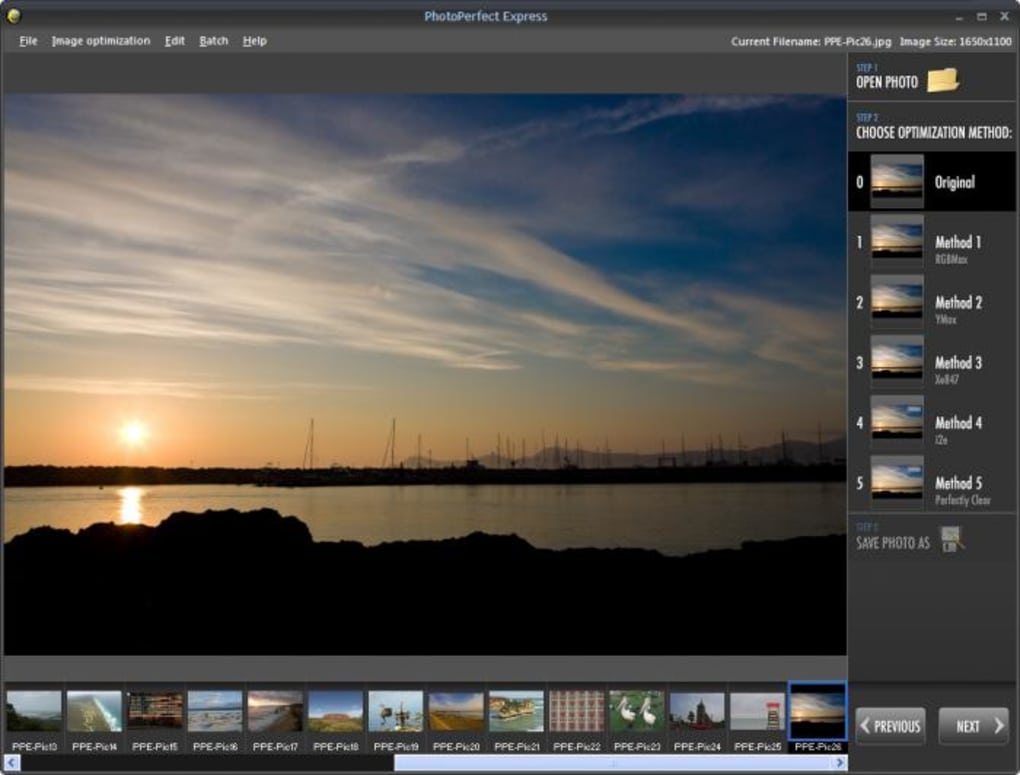
Once the program is open, you’ll see a clean workspace with a large preview window, five filter buttons on the left, and a draggable curtain in the center. To start editing:
- Load an image – Drag a file onto the preview area or use the “Open” menu.
- Select a filter – Click one of the five buttons or press the corresponding number key (1‑5). The image updates instantly.
- Compare with the original – Click and hold the curtain slider, then move it left or right to see the before/after effect in real time.
- Fine‑tune brightness/contrast – Use the small sliders beneath the preview to adjust overall brightness and contrast while keeping the filter’s color balance intact.
- Save your work – Click “Export,” choose the desired format, set the quality level, and hit “Save.”
For power users, the “Batch Mode” (available after upgrading) lets you drop an entire folder, pick a filter, and let the app process all files automatically. The output folder retains the original file names with a “_PE” suffix.
Supported Operating Systems
PhotoPerfect Express runs natively on the following platforms:
- Windows 10, Windows 11 (64‑bit)
- macOS 10.13 High Sierra and later (Intel & Apple Silicon)
- Android 6.0 Marshmallow and later
- iOS 12 and later (iPhone, iPad)
The app leverages OS‑specific graphics APIs (Direct2D on Windows, Metal on macOS/iOS, Vulkan on Android) to ensure smooth, lag‑free filter rendering even on modest hardware.
Pros, Cons, and Frequently Asked Questions
Pros & Cons
- Pros
- Instant one‑click filters save time.
- Side‑by‑side curtain preview makes decision making visual.
- Lightweight installer and fast launch.
- Cross‑platform availability covers desktop and mobile.
- Secure auto‑updates keep the app safe.
- Free version functional for casual users.
- Cons
- Two filters add watermarks in the free edition.
- Advanced batch processing locked behind paywall.
- Limited manual adjustment beyond brightness/contrast.
- “Disabled freeware” licensing can be confusing for new users.
FAQ – PhotoPerfect Express
Can I use PhotoPerfect Express without an internet connection?
Yes. After the initial download and installation, the app works fully offline. Internet is only required for checking updates or purchasing the premium license.
Do the filters work on RAW files?
The free version supports JPEG and PNG only. RAW support is available in the paid upgrade, where the same five filters are applied after the RAW conversion step.
How can I remove the watermark from the two free filters?
Purchasing the full license removes watermarks and unlocks all filters, batch processing, and RAW support. The upgrade is a one‑time payment with a lifetime license.
Is there a limit to the number of photos I can edit per day?
No daily limit exists. The free version allows unlimited single‑image edits, while batch processing is restricted to the premium version.
What file formats can I export to?
Export options include JPEG, PNG, and TIFF. The quality slider lets you balance file size against image fidelity.
Conclusion – Should You Download PhotoPerfect Express?
PhotoPerfect Express delivers exactly what its name promises: a fast, expressive way to boost the visual impact of your photos with just a few clicks. Its five carefully crafted filters, intuitive curtain preview, and cross‑platform availability make it a solid choice for hobbyists, social‑media creators, and even small‑business owners who need quick enhancements without the overhead of a full‑blown editor. While the free version’s watermark on two filters and the locked batch mode may nudge power users toward a paid upgrade, the core experience remains robust and genuinely useful.
If you value speed, simplicity, and a clean UI over deep pixel‑level control, PhotoPerfect Express is a worthwhile addition to your toolkit. Download it today, test the filters on a few images, and decide whether the premium upgrade is worth the investment for your workflow.
Ready to give your pictures a professional polish? Click the button below to download PhotoPerfect Express for your platform and start enhancing photos in seconds.
Guides & Tutorials
How to install PhotoPerfect Express
- Click the Download button above.
- Once redirected, accept the terms and click Install.
- Wait for the PhotoPerfect Express download to finish on your device.
How to use PhotoPerfect Express
This software is primarily used for its core features described above. Open the app after installation to explore its capabilities.
User Reviews
No reviews yet. Be the first to share your experience.
You may also like
more
Llama 2
Free-to-use large language model As the new addition to Meta’s arsenal of langua...

NotebookLM
Revolutionizing the note-taking and idea-generation process NotebookLM is an exp...

Github co pilot
AI-inspired software development and coding platform GitHub Copilot is a browser...

Google Gemma
Google’s lightweight AI models Introducing Google Gemma , a family of cutting-ed...

AI Image Enlarger
A free app for Windows, by ai-image-larger. AI Image Enlarger is a free software...

DALL E
AI-driven text-to-image transformation engine DALL·E is a free graphic and desig...